
Snipzilla Templates for Jira
Canned responses with dynamic tokens
Answer faster, in Jira and everywhere else.
Reply templates for Jira and Jira Service Management that fill themselves in: ticket fields, dates, fill-in blanks, and reusable building blocks. Pick a template on any ticket, review, post. What took five minutes takes one click.
Free for teams of up to 10 users. 30-day free trial on every install, managed by Atlassian.
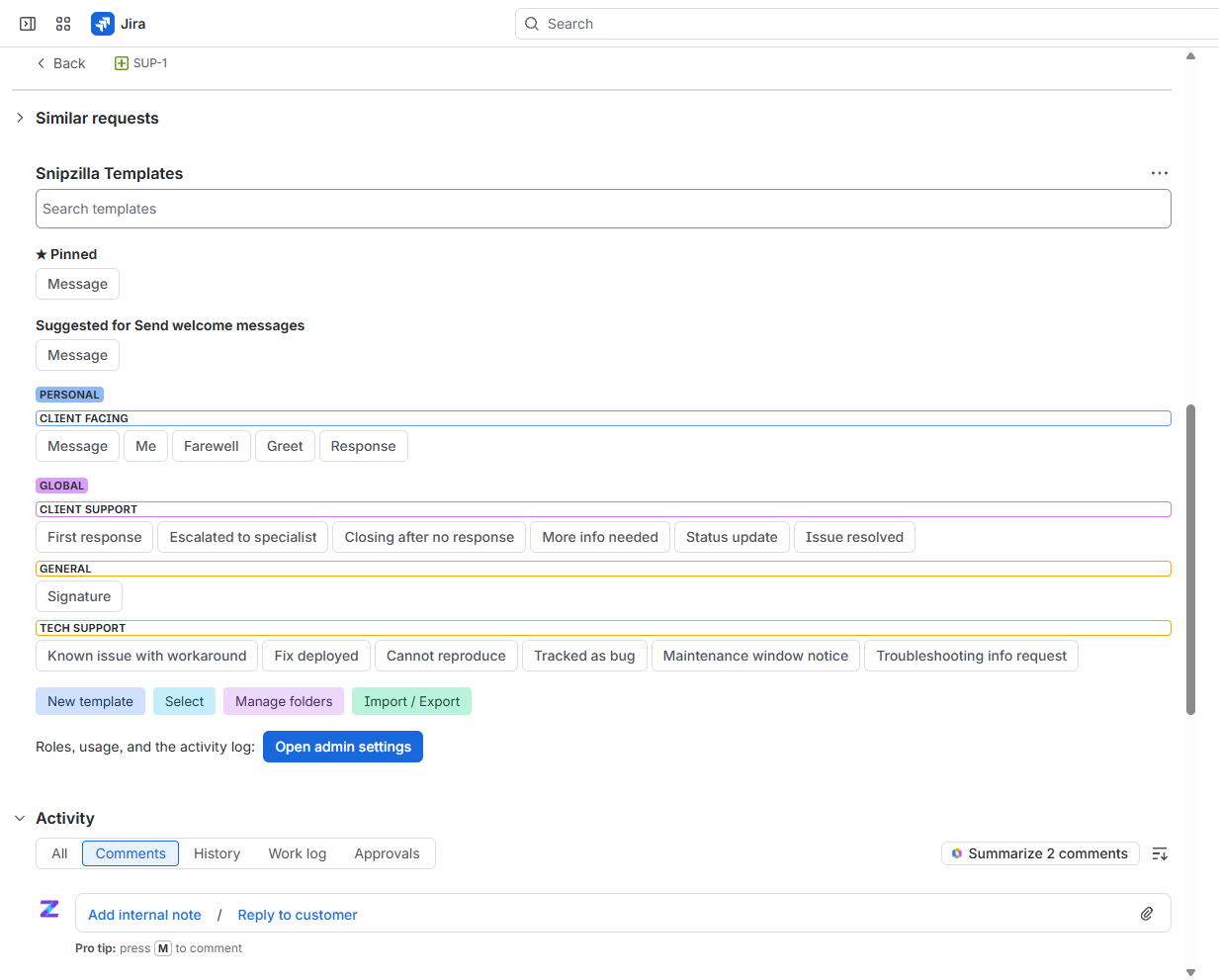
Everything a reply needs
Tokens That Fill Themselves In
Ticket fields, custom fields, first names, dates and times with offsets and formats, resolved live from the ticket the moment you pick a template.
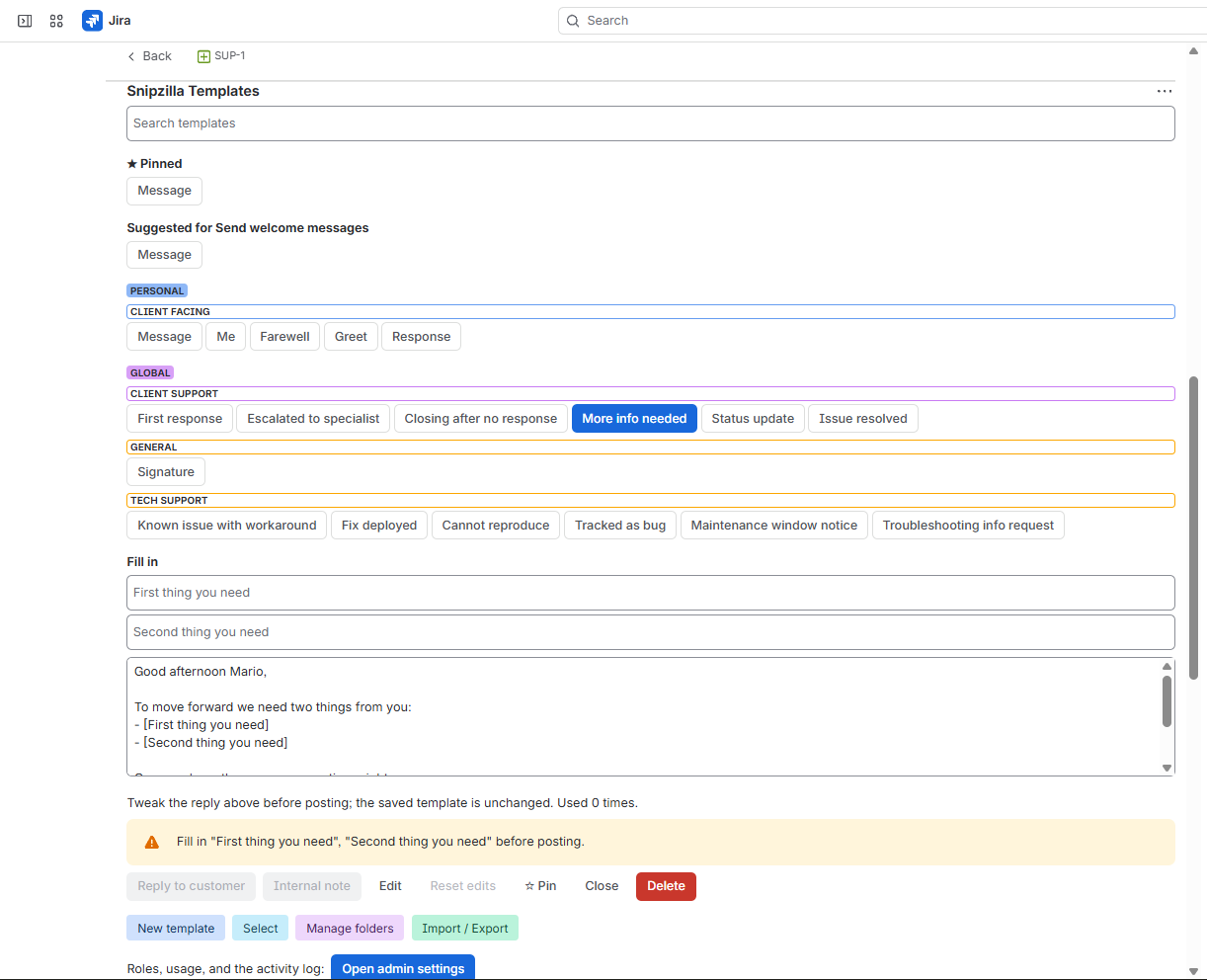
Fill-In Blanks and Choices
Prompts, dropdowns, optional paragraphs, and pick-one alternatives turn one template into a hundred precise replies. Posting stays blocked until every blank is filled.
Nested Templates
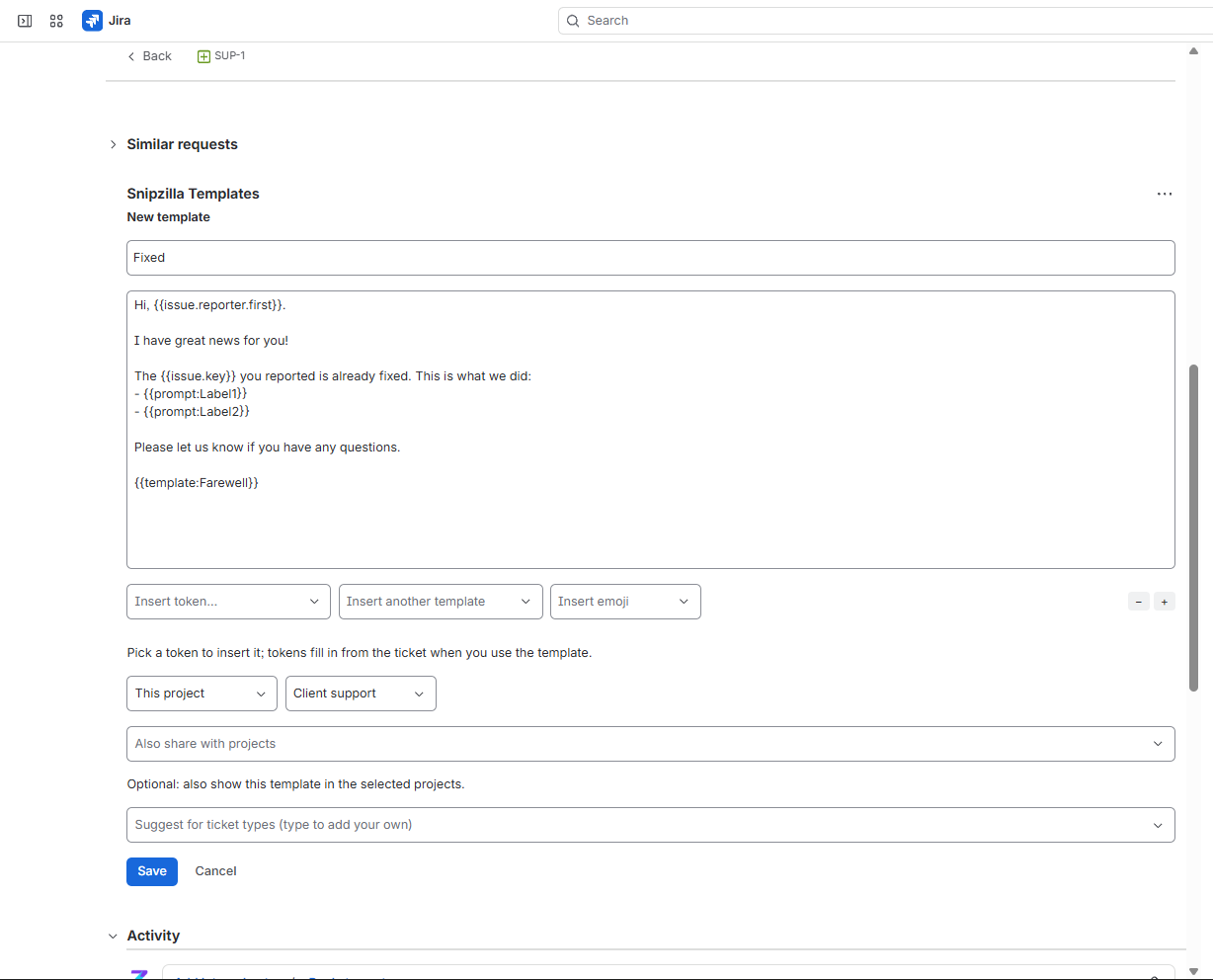
Keep one signature or footer template and include it everywhere. Change it once, every reply follows.
Built For Teams
Personal, project, and global scopes; colored folders; pinned favorites; roles managed by people or Jira groups. Personal templates stay private, always.
Made For Service Desks
Explicit reply-to-customer and internal-note buttons on service projects, and suggested templates matched to the ticket type.
Admin Insight
Usage overview across the team, a full activity log, company-wide import, and folder management, all under Jira settings.
How it works
Pick, fill, post
Open any issue, pick a template from the panel, and the tokens resolve from the live ticket: reporter first name, status, dates, custom fields. Fill in any blanks, tweak the preview freely, and post as a customer reply or an internal note. The saved template never changes.
Write templates without learning syntax
The editor inserts every token from dropdowns: issue fields, dates in any format, fill-in blanks, dropdown picks, optional paragraphs, random variations, other templates, emoji, even math. Replies support bold, italics, lists, links, headings, and colored Jira panels.
Govern it like a team asset
Managers, assigned individually or through Jira groups, own the shared library. Folders with colors keep hundreds of templates navigable, the most used float to the top, and suggestions appear based on the ticket type. Admins see usage insight and a three-year activity log.
Your data stays yours
Everything runs on Atlassian infrastructure: zero egress, no external services, no third-party analytics, no browser extension. Export your whole library any time as JSON, restore it with original scopes, and round-trip it with the Snipzilla desktop app.
Runs on Atlassian
Zero egress: your templates never leave Atlassian's infrastructure. No external servers, no third-party analytics, and every action uses the signed-in user's own permissions.
11 languages
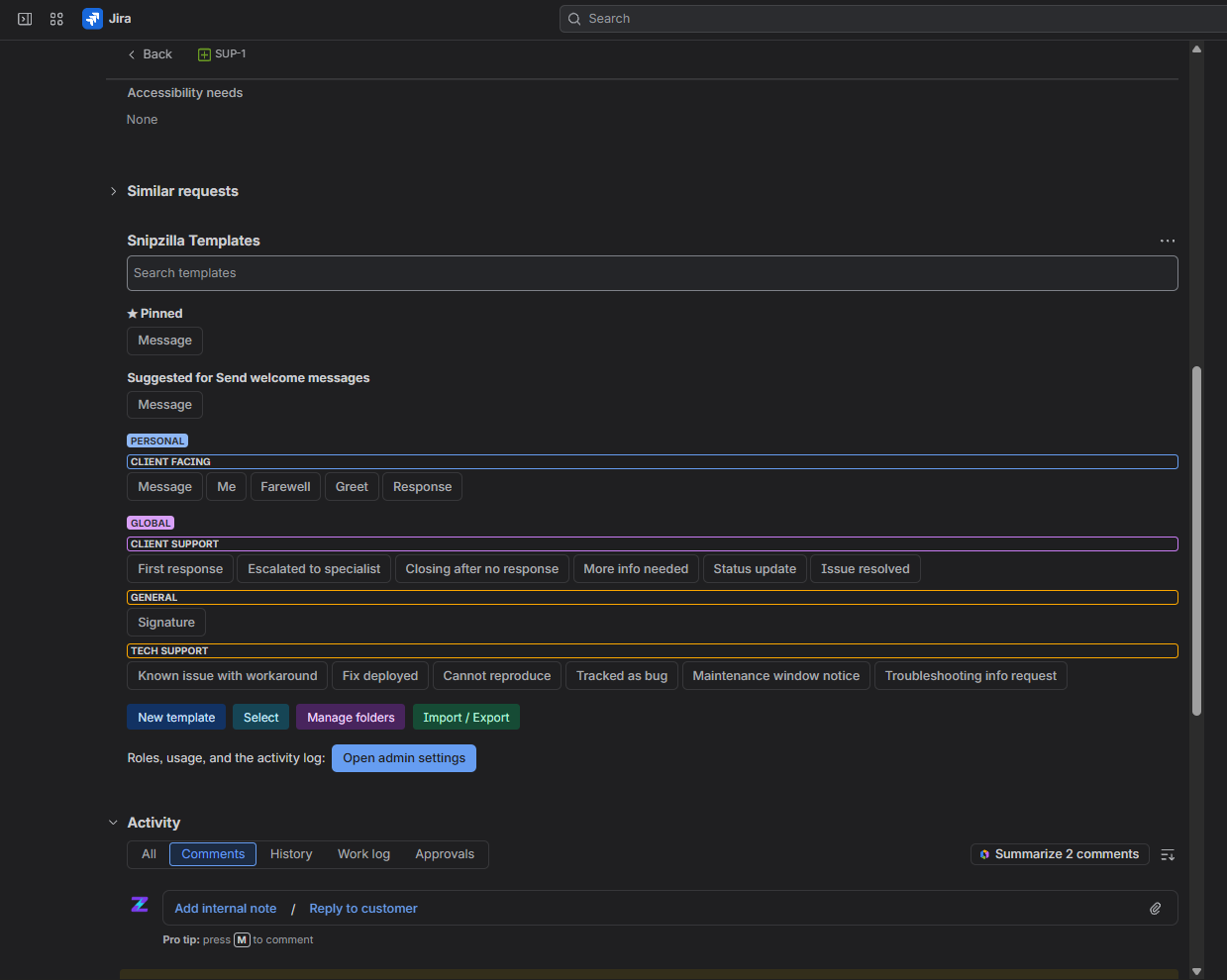
The whole app follows each user's Jira language: English, German, Spanish, French, Italian, Dutch, Polish, Portuguese, Japanese, Korean, and Traditional Chinese. Light and dark themes included.
No data hostage
If the subscription lapses, templates stay visible and posting keeps working. Export is always available, and closed Atlassian accounts are erased automatically.
Get it on the Atlassian Marketplace
Installs in minutes from the Marketplace, with billing and updates managed by Atlassian. Free for teams of up to 10 users.

Take your templates everywhere
Exports round-trip with Snipzilla, our desktop text expander: the same replies your team writes in Jira work in email, chat, and every other app, typed anywhere with a short trigger.
Meet SnipzillaGive every reply a head start
Free for teams of up to 10 users, then $1.50 per user per month.